

Content Planning Tool Features Checklist for Smarter Choices
If you want the right app fast, use a content planning tool features checklist that covers workflow, collaboration, approvals, automation, integrations, usability, and reporting. The best choice is not the app with the most features. It is the one that helps your team plan, create, review, publish, and measure content with less friction and fewer delays.
Many teams buy software because it looks polished in a demo. Then they discover missing approvals, weak calendar views, or confusing task management. A smart checklist prevents that mistake. It helps you compare tools based on daily work, not just marketing promises.
Whether you manage a solo blog, a marketing department, or a content agency, the same rule applies. A good planning app should reduce scattered files, unclear deadlines, and long feedback loops. It should make your process easier to see and easier to improve.
What should be on your checklist first?
Start with the basics that support an efficient content workflow. If an app cannot handle these well, extra features will not save it. Your first review should focus on how the tool supports the full content lifecycle.
- Editorial calendar with flexible views
- Task assignment and clear ownership
- Briefs, templates, and style guide storage
- Comments, feedback, and version control
- Approval steps with notifications
- Publishing support or scheduling
- Performance tracking and reporting
This structure matters because content work is rarely linear. One article may need research, SEO input, legal review, design support, and social promotion. The right app should connect those steps in one place instead of pushing them across email, chat, and spreadsheets.
Why does workflow support matter so much?
Workflow is the core of content planning. Without it, teams lose time asking who owns a task, what stage a piece is in, and whether the latest version is final. Good content workflow automation features keep work moving and reduce bottlenecks before they grow.
Look for apps that map the real stages of work: planning, creating, reviewing, approving, publishing, and measuring. Custom stages are especially useful because every team works a little differently. A software company may need product review, while a healthcare brand may need compliance approval.
Strong workflow tools also make responsibilities visible. A writer should know the deadline, editor, and next step. A manager should see what is blocked and what is late. That visibility improves accountability without constant follow-up messages.
Editorial calendars should be easy to scan
The calendar is often the first thing people notice, and for good reason. It should show content by date, campaign, channel, owner, or status. Monthly, weekly, and list views help different users work in ways that suit them.
Color coding can help, but clarity matters more than style. If the calendar looks attractive yet hides deadlines or task dependencies, it will frustrate users. The best tools let you filter quickly and understand the plan in seconds.
Templates and briefs save time
Reusable templates are not glamorous, but they improve consistency. Brief templates can include audience, goal, keyword focus, call to action, and internal review notes. This reduces back and forth and helps new team members work faster.
Style guides stored inside the app are also valuable. Writers and editors should not need to search different folders for voice rules, brand terms, and formatting instructions. Keeping standards close to the work reduces avoidable revisions.
How important are collaboration and approvals?
They are essential. Content rarely comes from one person alone. Writers, editors, designers, SEO specialists, and stakeholders need one shared workspace. Efficient content workflow tools make that collaboration structured instead of chaotic.
Look for comments tied to specific drafts or blocks of text, not general notes buried in chat. Real-time edits can help, but only if version control is reliable. Users should know what changed, who changed it, and whether they can restore a previous version.
Approval workflows are just as important. A good app lets you set approval chains, notify the right people automatically, and flag delays. Some tools even escalate missed approvals, which can keep campaigns on schedule when teams are busy.
- Create the content brief.
- Assign writing and design tasks.
- Route the draft for review.
- Approve or request changes.
- Schedule publishing.
- Track results after launch.
This kind of built-in path reduces confusion. It also lowers the risk of publishing the wrong draft or missing a required review stage.
What makes a content planning app easy to use?
When evaluating content planning app usability, focus on speed, clarity, and confidence. People should understand the interface quickly. If basic actions feel hidden or complicated, adoption will suffer, even if the feature list looks impressive.
A strong user interface clearly shows roles, deadlines, status labels, and next actions. Dashboards should highlight priority items rather than overwhelm users with every metric at once. Good design helps people make decisions faster.
Pay attention to setup, too. Some apps are powerful but require heavy configuration before they become useful. Others offer a simpler start with built-in workflows and templates. The right choice depends on your team size, process complexity, and technical comfort.
Test real tasks, not just the demo
During a trial, ask your team to complete normal work. Create a brief, assign a writer, request edits, approve a draft, and move it to publishing. This reveals far more than a guided sales tour. It shows whether the app supports everyday work without friction.
Also test the mobile experience if your team travels or approves work on the go. A desktop-only experience may be fine for some teams, but weak mobile usability can slow leaders who review content away from their desks.
How do integrations improve results?
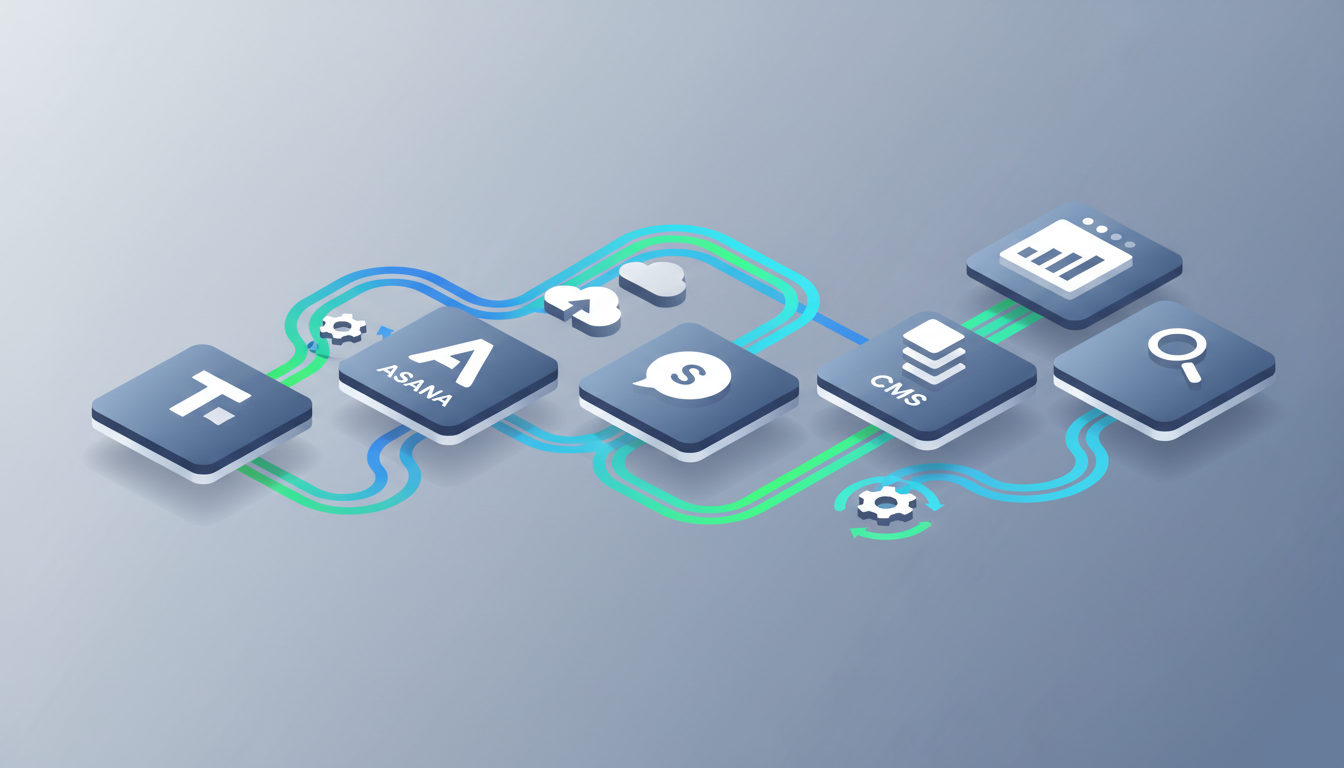
Content planning app integration benefits are practical, not theoretical. Integrations reduce copy and paste work, prevent fragmented communication, and connect planning with execution. That means fewer missed updates and a smoother process overall.
Useful integrations often include project management platforms like Trello or Asana, communication tools like Slack or Microsoft Teams, cloud storage, design platforms, SEO tools, CMS connections, and analytics systems such as Google Analytics. These links can turn the app into a shared operating hub.
For example, if your planning app can push approved content to your CMS, schedule social posts, and send status updates to chat, your team saves time and reduces manual errors. If analytics data flows back into the tool, you can connect performance to planning choices more easily.
Still, do not chase integrations for their own sake. Focus on the systems your team already uses every week. The best integration strategy is simple, relevant, and stable.
Which reporting features actually matter?
Reporting should help you improve decisions, not just fill a dashboard. At minimum, a planning app should show task status, missed deadlines, publishing output, and content performance trends. This helps teams spot bottlenecks and adjust process problems early.
More advanced tools may connect planning with outcomes such as traffic, engagement, conversions, or lead quality. That is helpful because it shows which content types and channels deliver value. It can also reveal where your workflow slows strong ideas down.
Look for reports that are easy to read and share. If exporting or filtering data is painful, people may ignore insights. A simple report used weekly is often more useful than a deep dashboard no one trusts.

How can you compare tools without getting overwhelmed?
Use a weighted checklist. Not every feature has equal value for every team. A solo creator may care more about calendar clarity and publishing support. A larger company may need custom permissions, approval chains, and integrations with existing systems.
Create categories and score each app from one to five. Then add short notes based on trial use. This keeps your decision grounded in evidence instead of impressions.
- Workflow fit
- Collaboration quality
- Approval control
- Ease of use
- Integration strength
- Reporting depth
- Price and scalability
Popular tools such as Notion, Asana, Trello, CoSchedule, Monday.com, Airtable, and ClickUp can all support planning in different ways. None is automatically best. The right option depends on your team, process, and goals.
FAQ
Should a small team buy an all-in-one content planning app?
Not always. Small teams often do better with a simple tool that handles calendars, tasks, comments, and approvals well. If the platform feels too complex, people may avoid it.
How long should you test a content planning app before choosing?
Two to four weeks is usually enough for a realistic trial. That gives your team time to run normal work, identify friction points, and compare actual usage with vendor claims.
What is the biggest mistake when choosing a planning app?
The biggest mistake is buying based on feature volume instead of workflow fit. A shorter feature list is fine if the tool supports your real process clearly and reliably every day.
Can one app handle planning, publishing, and performance tracking?
Sometimes, yes. Many apps cover all three areas, but depth varies. Check whether the publishing and analytics features are strong enough for your channels before you replace specialized tools entirely.