
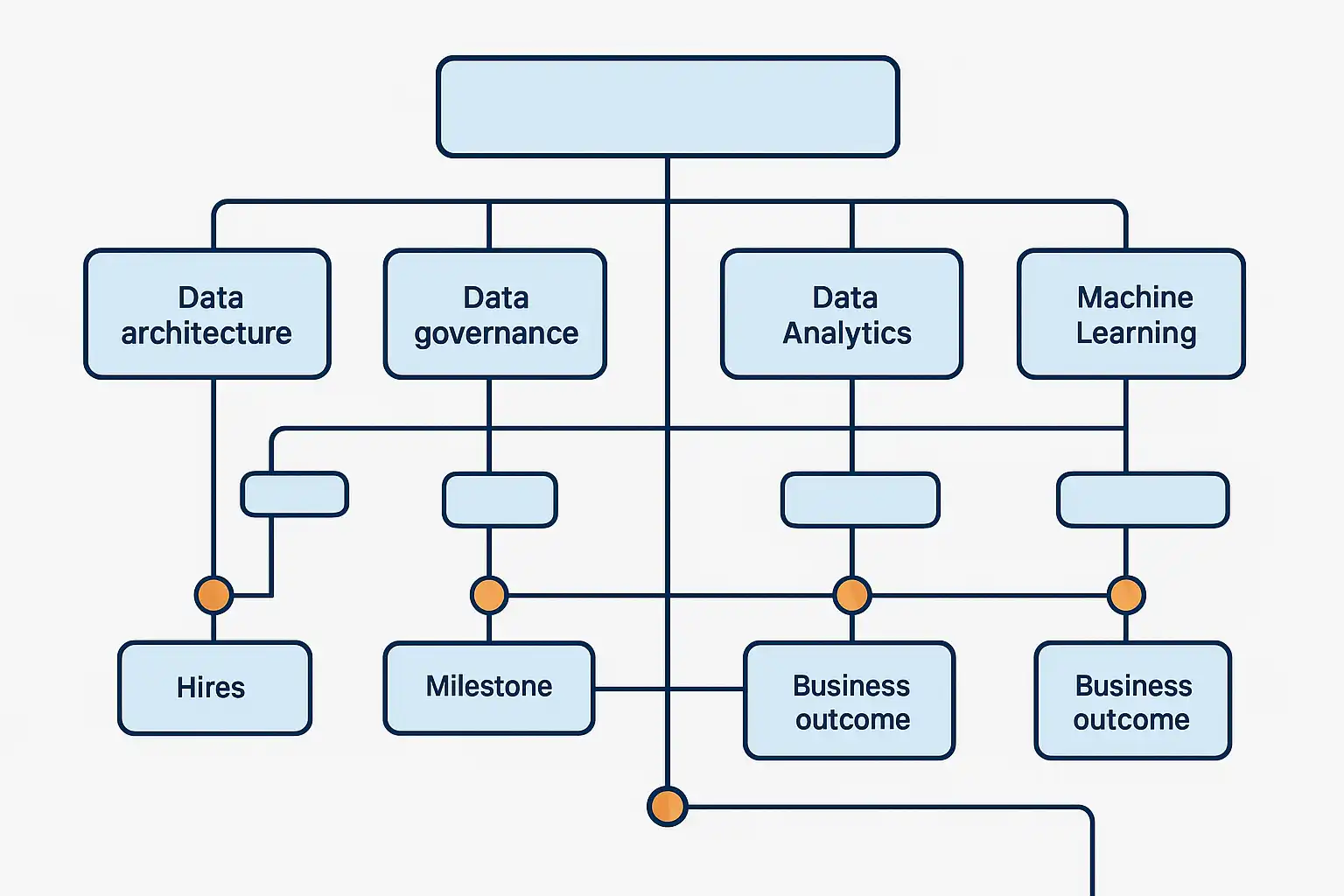
Finding a practical data strategy roadmap template you can customize is the first step to making your data work for your business. A customizable roadmap is not just a visual tool—it’s your plan for delivering value through data. It answers, “What will we achieve, when, and why?” right from the outset, helping you map out each milestone and resource. In this article, you’ll discover what goes into an effective template, why tailoring it is crucial, and how to adapt one to fit your unique needs.
What is a Data Strategy Roadmap Template?
A data strategy roadmap template is a structured framework that helps your business plan and track its data initiatives. It outlines the key actions, goals, and timelines needed to move from where you are today to a future where data drives important business decisions. The goal is to help you organize complex projects—like building dashboards, setting up data governance, launching analytics, or using AI—into a manageable sequence.
Good templates include sections for data architecture (the way your data is structured), data governance (rules and standards), reporting and analytics, machine learning and AI, and talent or staffing. When you customize the template to your business, you clearly see what will be delivered, when each piece will arrive, and why it matters.

Why Should You Customize Your Data Strategy Roadmap Template?
Every company is unique. Off-the-shelf templates give you a starting point, but customizing ensures your roadmap fits your actual needs, resources, and goals. When you tailor your roadmap, you can link each initiative to measurable outcomes, like increased sales or improved efficiency. This alignment builds trust, especially with executives who want to see how data projects contribute to overall objectives (OKRs, ROI).
Customizing is also about identifying risks, dependencies, and capacity needs early. For instance, including clear details about staffing ensures you avoid overloading teams and keep delivery on track. The process also helps everyone from tech teams to business leaders understand how their work fits together.
What Are the Essential Components of a Customizable Data Strategy Roadmap Template?
Building a data strategy roadmap template you can customize starts with several key components. Here is a typical structure:
- Vision and Objectives: Define the ultimate goals for your data initiatives—what value will you deliver?
- Pillars or Workstreams:
- Data Architecture: Infrastructure and data models
- Data Governance: Standards, security, compliance
- Reporting and Analytics: Dashboards, visualizations, insights
- Machine Learning/AI: Predictive models, automation
- Talent Strategy: Staffing, skills, training
- Initiatives and Deliverables: List projects, products, or outputs for each pillar (e.g., executive dashboards, data catalog).
- Timeline: Map milestones to quarters or months, showing when each initiative will be delivered.
- Business Outcomes: Link each part of the roadmap to a tangible metric, like cost savings or customer retention.
- Resource and Skill Planning: Document the people and skills required for each stage.
- Dependencies: Show which tasks must be completed before others can begin.
- Adoption and Change Management: Identify what support or cultural changes are needed for the plan to succeed.
For example, in regulated industries, you might refer to established frameworks such as federal data strategy as a guide for compliance and transparency when designing your roadmap.
How Do You Adapt a Data Strategy Roadmap Template for Your Business?
Customizing a roadmap is an active process. Start by gathering input from all key stakeholders—executives, IT, analysts, and business users. Prioritize which use cases matter most to your organization, such as boosting revenue, improving reporting, or meeting regulatory demands.
- Engage Stakeholders Early: Listen to user needs across business units. This prevents surprises and makes adoption smoother.
- Set a Shared Timeline: Make sure everyone understands when changes will happen. Use clear language, not technical jargon.
- Clarify Deliverables: Be specific about what each group will receive, like new analytical dashboards or automated reports.
- Emphasize Outcomes: Link each effort to business value. For example, “This dashboard will help the sales team spot trends faster.”
- Highlight Staffing and Skills: Specify who’s needed for each phase and what expertise is required. This helps with resource planning and avoids overloading your team.
- Maintain Transparency: Make dependencies and sequencing clear, so everyone sees how pieces fit together.
- Treat as a Living Document: Review and update the roadmap quarterly. Adjust based on changing priorities or new data opportunities.
Adapting your template for different departments or regions may also mean recognizing specific compliance needs. For instance, aligning with a proven data governance strategy ensures trust and standardization as your roadmap evolves.
What Are the Best Practices for Managing a Data Strategy Roadmap?
Managing your roadmap effectively is as important as creating it. Here are some established best practices:
- Link to Business Objectives: Every initiative on your roadmap should connect to a clear business outcome.
- Keep Communication Open: Regularly update stakeholders on progress, risks, and changes.
- Monitor and Adjust: Track progress against milestones. If issues arise, adjust the plan and communicate these changes promptly.
- Document Dependencies: Make it easy for teams to see what needs to happen first.
- Promote Adoption: Encourage buy-in by addressing skills gaps, providing training, and making sure everyone understands the “why” behind each initiative.
For organizations concerned about regulatory requirements, integrating elements of data compliance security into your roadmap ensures both trust and legal security as your strategy is rolled out.
Table: Example Customizable Data Strategy Roadmap Template Structure
| Pillar | Initiative | Timeline | Business Outcome | Owner |
|---|---|---|---|---|
| Data Architecture | Build data warehouse | Q1-Q2 | Unified data access | IT Lead |
| Data Governance | Implement data catalog | Q2 | Improved data quality | Data Manager |
| Analytics | Develop sales dashboards | Q3 | Faster insights | Business Analyst |
| AI/ML | Customer churn prediction | Q4 | Reduced churn | Data Scientist |
| Talent Strategy | Data literacy training | Q1-Q4 | Stronger adoption | HR Lead |
How Can a Custom Roadmap Improve Data Management and Decision-Making?
Customizing your data strategy roadmap template doesn’t just organize projects—it also transforms how you make decisions. By mapping data work directly to business outcomes, teams prioritize what matters most. This means funds and resources go to projects with the highest impact. As the roadmap clarifies deliverables and timing, departments understand how their contributions support broader goals.
For example, when you present your roadmap as a tool for executive decision-making, leaders use it to weigh trade-offs and track results alongside other business investments. Departments gain confidence seeing exactly what’s coming, when, and how it fits into company objectives. By highlighting staffing needs, you also make it easier to avoid burnout and keep projects moving. Constant updates ensure your strategy adapts as business needs shift—so your data initiatives always support smart, timely decisions.
Many organizations achieve better data strategy alignment and greater stakeholder confidence by treating their roadmap as a living operating plan rather than a static document.

FAQ
What key components should be included in a data strategy roadmap template you can customize?
A solid customizable template includes sequenced plans across areas like data architecture, governance, analytics, machine learning, and talent. You should clearly define business deliverables, set milestones tied to quarters, and connect each initiative to measurable outcomes such as ROI or OKRs. Also, always include staffing and resource requirements, identify dependencies, and ensure transparency about timing and adoption needs.
How can customizing a data strategy roadmap template improve data management and decision-making?
Customizing lets you align every data initiative with business priorities, making the roadmap a decision-making tool for executives. It clarifies deliverables and timing for each department, supports funding based on expected outcomes, and fosters better adoption. Regular reviews keep the roadmap current, so your data projects remain relevant and impactful as priorities change.
What are the best practices for adapting a data strategy roadmap template to fit different business needs?
Engage stakeholders early, set a clear shared timeline, and keep the language accessible to all departments. At the executive level, focus on outcomes and ROI; at the team level, be concrete about deliverables and timelines. Always highlight staffing and skill needs, and treat your roadmap as a living document by reviewing and updating it quarterly as business needs evolve.
Which tools can help in building and managing a customizable data strategy roadmap?
Common tools include collaborative project platforms like Microsoft Excel, Google Sheets, Monday.com, or specialized roadmap tools. Some organizations leverage Power BI or Tableau for visualizing progress, while others adapt templates in Notion, Confluence, or Miro. The key is to pick a tool that supports easy updates, sharing, and clear tracking of milestones and deliverables.