
A practical data analytics lifecycle for teams building repeatable reporting
Building accurate, reliable, and repeatable reports is essential for modern teams making data-driven decisions. The data analytics lifecycle provides a structured approach to move from raw data to actionable insights, making collaboration smoother and outcomes more consistent. In this article, we break down a practical, step-by-step lifecycle for teams aiming to deliver repeatable reporting with confidence and efficiency. You’ll learn the key stages, discover how to ensure accuracy, and explore best practices for teamwork and tool selection.
What is a practical data analytics lifecycle and why does it matter for repeatable reporting?
The data analytics lifecycle is a sequence of phases that teams follow to collect, analyze, and leverage data. For organizations needing regular, trustworthy reports, a clear lifecycle helps avoid mistakes, streamlines teamwork, and makes it easy to scale successful processes across projects. Each phase sets up the next, reducing errors and ensuring each report is based on solid work.
By following a structured lifecycle, teams prevent data inconsistencies, clarify definitions, and automate parts of reporting. This saves time and builds trust in the output. Whether you’re just starting or refining your process, a consistent lifecycle brings clarity to every step, minimizes wasted effort, and enhances the reliability of your work.

What are the key stages of the data analytics lifecycle for teams?
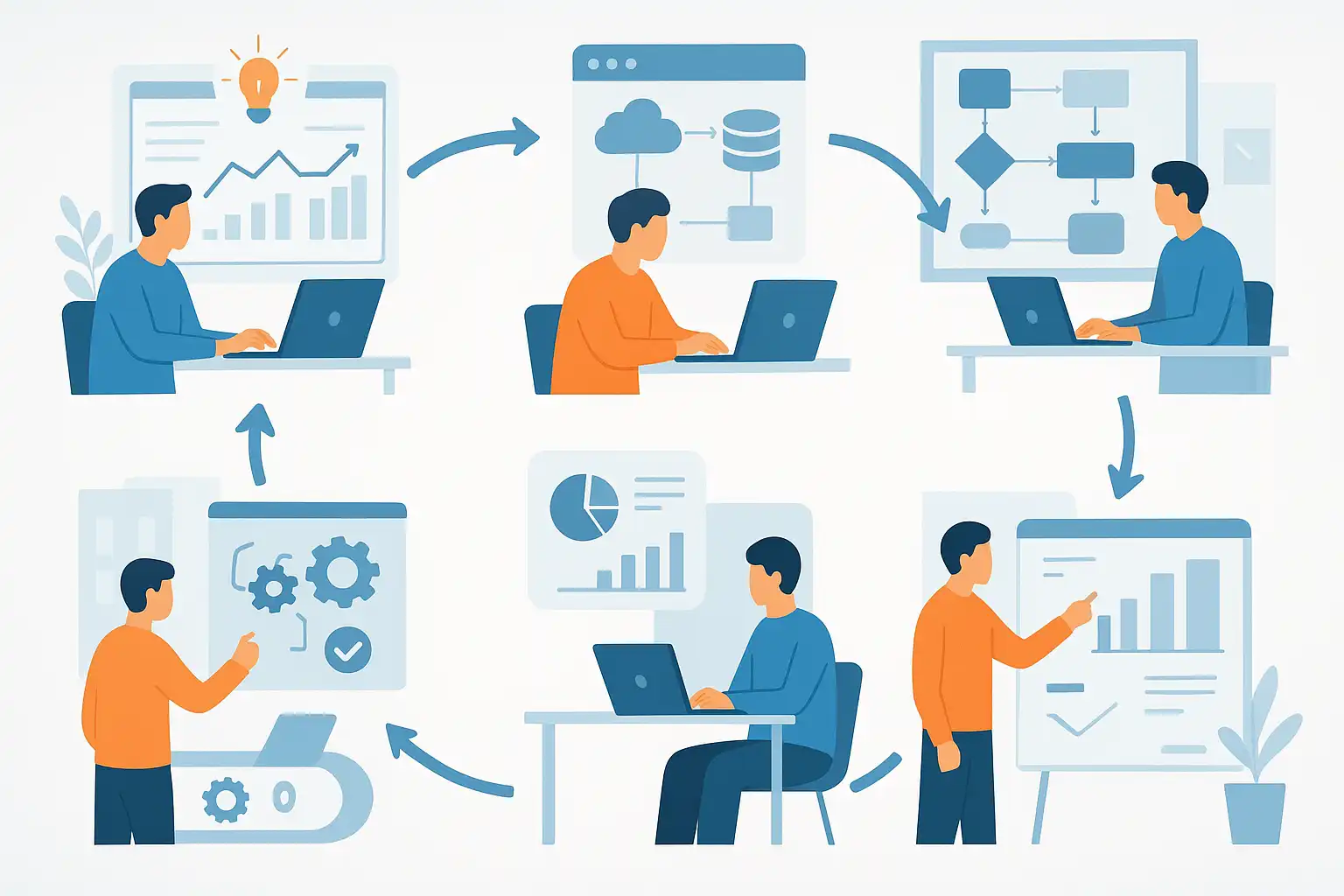
The practical data analytics lifecycle consists of six main phases, each with specific goals and team actions. Let’s explore them in order:
- Discovery of the Problem: Teams begin by defining the reporting objective. What questions should the report answer? What business goals are impacted? This stage includes understanding root causes, stakeholder needs, and the broader context.
- Preparation of Data: Next, identify key performance indicators (KPIs), select which data sources are relevant, and collect the data. Teams also secure, clean, and preprocess the data. This may involve fixing errors, transforming formats, or filtering out irrelevant information. Well-prepared data lays the foundation for every following step.
- Planning the Model: Here, teams decide which variables matter and how to use them. This includes building datasets, checking for missing or biased data, and selecting the modeling approach (for example, statistical models or machine learning). Teams outline how they will validate the results.
- Building the Model: In this phase, the chosen methods are implemented. Algorithms are applied, and datasets are split for training and testing. Teams refine, tune, and validate the model, making sure it works as expected and delivers accurate results.
- Communication of Results: Once analysis is complete, the team translates results into clear charts, dashboards, or summaries. Good visualization helps stakeholders understand the findings quickly. At this stage, actionable recommendations based on the data are documented and shared.
- Operationalization: Finally, the model is deployed into business processes. This could mean automating regular reporting, integrating with business systems, or setting up alerts. The model’s ongoing performance is monitored, data is updated, and documentation ensures the process can be repeated and improved over time.
By following each phase carefully, teams can create a repeatable workflow that delivers consistent, high-quality reports every cycle.
Collaborative tools and methodologies for the data analytics lifecycle
Efficient teamwork depends on tools and clearly defined methods at each stage of the data analytics lifecycle. During discovery, teams often organize brainstorming sessions to align on objectives and context. Digital whiteboards and shared documentation platforms help capture ideas and keep everyone on the same page.
For data preparation and modeling, version control tools (like Git), cloud-based spreadsheets, and secure data storage ensure that changes are tracked, and all team members access current, reliable data. Automated data pipelines cut down manual steps and errors. In fact, understanding data science workflow principles can further streamline how teams move through these stages and manage handoffs efficiently.
Visualization software—such as Tableau, Power BI, or Google Data Studio—makes sharing results straightforward. Documenting the process using wikis or internal knowledge bases aids knowledge transfer and onboarding. For deployment, using trusted model monitoring platforms helps teams spot issues early as data or business needs change.
How can teams ensure accuracy and consistency in repeatable reporting?
Maintaining high-quality, repeatable reports requires diligence at every step. Here’s how consistency and accuracy can be ensured:
- Clear problem definition: At the start, agreeing on report goals and relevant metrics eliminates confusion down the line.
- Data quality checks: Using automated cleaning, validation scripts, and regular audits helps catch inconsistencies before analysis begins.
- Standardized processes: Documenting workflow steps and using repeatable scripts or templates ensures every team delivers reports using the same best practices.
- Continuous validation: During modeling, splitting data for training and testing, and regularly tuning parameters, keeps models reliable.
- Effective communication: Using clear visualizations and standardized templates makes reports easy to interpret, reducing miscommunication among stakeholders.
- Ongoing monitoring and updates: After deployment, setting up alerts and reviewing outcomes ensures that reports stay accurate as business needs evolve.
In many cases, automating core reporting steps leads to more consistent outcomes. Incorporating automated reporting insights into your team’s process can save time and raise the overall quality of reporting output.
Real-world workflow example: From data to deployment
Consider a marketing team tasked with producing weekly performance reports. The team starts by gathering requirements—what campaigns are running, which metrics (like clicks, conversions, or cost per lead) matter, and who needs to see the output. Data is then exported from campaign management tools and loaded into a shared spreadsheet.
Next, automated scripts clean and merge the data. The team selects variables to analyze, such as region, channel, or device type. They apply a simple statistical model to highlight trends, then use dashboards to visualize the data. Each report is delivered using the same template, making it easier to compare results over time. Finally, the report is shared via email and stored in a knowledge base where it can be accessed and reused. The whole process is documented so it can be handed off or improved later.
Understanding how data processing workflows operate in practice gives teams a solid foundation for building their own tailored lifecycle.
Best practices for operationalizing analytics models
Moving from one-off analyses to automated, repeatable reports means deploying analytics models or processes into daily business operations. Here are some best practices that help teams succeed:
- Automate where possible: Scheduling scripts or dashboards reduces manual errors and speeds up reporting cycles.
- Monitor performance: Use dashboards and alerts to catch issues, such as sudden data shifts or inaccurate predictions, early.
- Keep documentation current: Regularly update process guides and code comments so new team members can contribute quickly.
- Review and refine: Set aside time for periodic reviews to capture lessons learned and improve the lifecycle as business needs change.
- Maintain security and compliance: Ensure data handling and deployment meet company standards and regulatory requirements.
Teams that prioritize automation, documentation, and collaboration are better equipped to maintain the quality and reliability of their reports. In fact, adopting comprehensive automated reporting solutions can yield significant resource savings and free up time for deeper analysis and strategy.

Answering your questions about the data analytics lifecycle
What’s the biggest challenge when building repeatable reporting in teams?
The main challenge is maintaining consistency across team members and projects. Variations in data cleaning, analysis methods, or reporting formats can cause confusion and waste time. By codifying workflows and using shared tools, teams can overcome this barrier and ensure every report meets the same high standards.
How often should teams review and update their data analytics lifecycle?
It’s best to schedule regular reviews—quarterly or with each major business change. The review looks at what’s working well and where bottlenecks or errors occur. Updating documentation and refining tools based on feedback keeps the reporting lifecycle aligned with current goals.
Which roles are essential for a successful data analytics lifecycle?
Common roles include a data analyst or scientist (leading analysis), a data engineer (handling data preparation and pipelines), and a business stakeholder (defining requirements and reviewing insights). Clear ownership and open communication between these roles help ensure no steps are skipped and that the final reports are meaningful to decision-makers.
Can smaller teams benefit from a data analytics lifecycle?
Absolutely. Even small teams gain from a defined lifecycle because it provides structure, reduces repeated manual effort, and builds habit around best practices. Over time, this leads to faster, more accurate reporting, regardless of a team’s size or technical background.